My Account is your online hub for managing your Ogi services. Whether you want to check your latest bill, explore add-ons for your package, upgrade your broadband, or refer a friend and get a reward, you’ll find it all in one place.
Can’t find it? Get in touch and our Customer Care team can help.
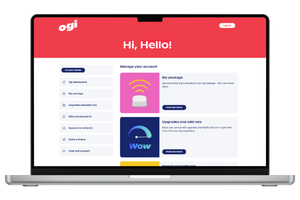
Everything you need to manage your Ogi account, all in one place.
View the details linked to your Ogi account, all in one place. It's a quick way to check the information we currently hold for you.
See your current broadband package, monthly price and contract end date. You can also explore available add-ons and upgrade options if you're eligible.
When it's time to renew, My Account will let you know. You'll be able to view your available options and choose the package that's right for you.
Keep track of your billing with easy access to current and previous bills, payment status, bill amounts and important dates. You can also set up a Direct Debit if you haven't already.

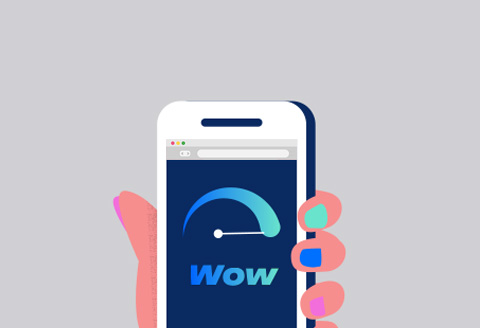
Run a speed test, access helpful support resources and find guides to help you get the most from your eero equipment and home broadband.
Find your unique referral code, copy it with a click and share it with friends, family and neighbours. Once they pay their first bill, you'll both get rewards.
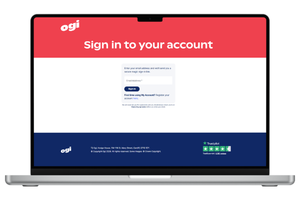
Head to My Account and select: Register your account 'here'.
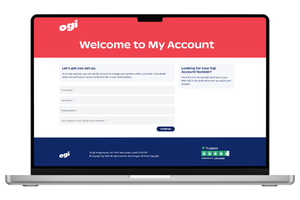
You'll need the name, email and Ogi account number associated with your account.
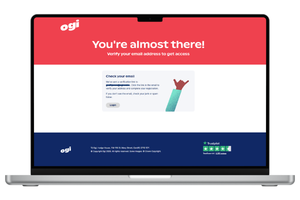
We'll send a verification link to your email. Simply click the link in the email to confirm your account to complete your registration.
Enter the email address linked to your Ogi account.
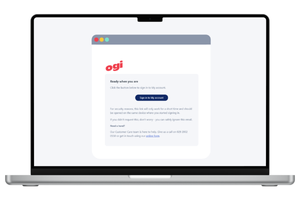
We'll send you a secure link straight to your inbox.
Open the email and select the link to access My Account. No passwords, no fuss.
If your Ogi service is up and running, you’re ready to register. You’ll just need the email address linked to your account and your Ogi Account Number.
You’ll find it on your bill and in emails from Ogi. If you’re struggling to find it, just get in touch with our Customer Care team and we’ll point you in the right direction.
First, check your junk or spam folder. If it’s still not there, please get in touch with our Customer Care team and we’ll help you get set up.
If you’re eligible for an upgrade, you’ll see the options available to you in the My Package section.
We’ll make it easy. My Account will show your contract end date and let you know when renewal options become available. We will also send out an email as a reminder.
Yes. You can view previous bills, check payment status and keep track of upcoming billing dates all from My Account.
Easy. Just log in to My Account and head to the Refer a Friend section. You’ll find your unique referral code there, ready to share with friends, family and neighbours who could do with better broadband.
👉 Already got an account? Log in to My Account
👉 New to My Account? Register here